



Running a business sounds exciting until the daily responsibilities start piling up. Managing employees, tracking sales, handling customer information, checking expenses, and keeping records organized can quickly become stressful. Even a small business owner may have dozens of tasks to handle every day.
Let’s explore some popular options and understand which one might work best for your business.
What Is Business Management Software?
Business management software is a digital tool that helps companies organize and manage their daily operations.As the business expands, logging activities like ongoing projects, billable hours and customer invoices requires hours of manual work at best.
Depending on the platform, it can help with:
- Managing projects and daily tasks.
- Tracking income and business expenses.
- Organizing customer information.
- Managing employees and schedules.
- Creating invoices and financial reports.
Good Business managment software saves time and reduces the chances of missing important tasks. It also helps business owners understand what’s happening across different departments.
9 Best Software Options for Business Management
There isn’t one perfect platform for every company. Here are seven useful tools, each designed to solve different business problems.Some tools specialize in one of those core areas and often integrate with other platforms. This allows users to add to their suite of business management tools over time and address specific needs.
1. Zoho One
Zoho One is a popular business platform that provides several applications under one system. It includes tools for sales, accounting, customer relationships, marketing, and employee management.
Businesses can use it to organize different departments without depending on many unrelated platforms.
Key features:
- Customer relationship management.
- Accounting and financial tools.
- Employee management.
- Email marketing.
- Business reporting.
2. Microsoft Dynamics 365
>Best for medium and large businesses<
Microsoft Dynamics 365 offers business applications for managing sales, finances, customer service, and operations.
Companies can use its different applications to connect information between departments. It also integrates with otherKey features:
- Financial management.
- Sales tracking.
- Customer service management.
- Business analytics.
- Supply chain management.
It can be a strong option for established companies with more complex operational needs.
3. QuickBooks
Best for accounting and financial management
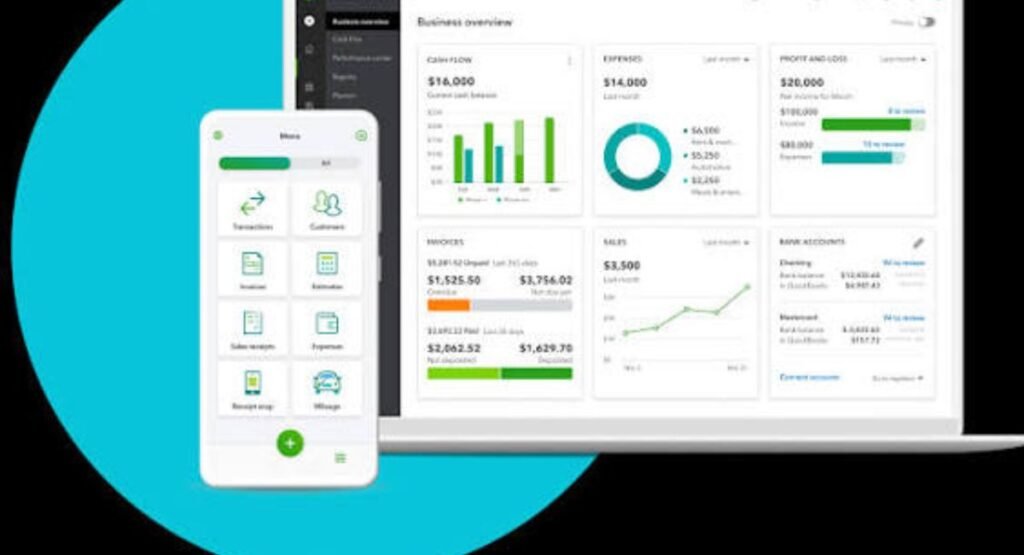
Keeping financial records organized is one of the most important parts of running a business. QuickBooks helps business owners manage invoices, expenses, payments, and financial reports.
Instead of manually calculating every transaction, users can organize their financial information through its accounting features.
Key features:
- Invoice creation.
- Expense tracking.
- Income monitoring.
- Financial reports.
- Tax-related recordkeeping.
Small businesses, freelancers, and independent professionals may find it useful for handling everyday accounting tasks.
4. Monday.com
Best for project and team management
Monday.com is designed to help teams organize projects and track their work. It provides visual boards where users can assign responsibilities, set deadlines, and monitor task progress.
For example, a marketing team can use it to plan social media campaigns, assign writing tasks, and track upcoming deadlines.
Key features:
- Project planning.
- Task assignments.
- Team collaboration.
- Workflow automation.
- Progress tracking.
Its visual layout makes it easier for teams to understand what needs to be completed and who is responsible.
5. Trello
Best for simple task management
Trello is a straightforward tool for organizing projects through boards, lists, and cards. It works well for individuals and small teams that want to manage their tasks without dealing with complicated software.
You can create different boards for marketing, customer orders, content planning, or daily business activities.
Key features:
- Visual task boards.
- Due dates and reminders.
- Team collaboration.
- Task organization.
- File attachments.
Trello is a good starting point for businesses that need a simple way to organize their workload.
6. Salesforce
Best for customer relationship management
Salesforce is widely used by companies that want to manage customer relationships and improve their sales processes.
It helps businesses organize customer information, follow up with potential buyers, and track sales opportunities.
Key features:
- Customer data management.
- Sales tracking.
- Lead management.
- Customer support tools.
- Business analytics.
For companies with large sales teams or many customer interactions, Salesforce can help keep important information in one organized system.
7. Odoo
Best for managing different business departments
Odoo offers a collection of business applications that can support different company operations. Businesses can select the applications they need instead of using every available feature.
Key features:
- Inventory management.
- Sales and purchasing.
- Accounting.
- Employee management.
- Customer relationship management.
Odoo can be a practical option for businesses that want to connect several operational activities through one platform.
8.Bitrix24
If you’re looking for a one-stop shop for all your business management needs, Bitrix 24might be the tool for you. The platform comes with a suite of tools that cover collaboration, project management,, social media and website development. Its collaboration and task tools are designed with remote team in mind, offering chat and video conferencing tools to make it easier for employees to coordinate on an assignment
BQE CO
Bqe core is a business management software best suited for firms that deliver projects for other companies, including architecture firms, engineers and consulting groups. Its tool suite covers everything from project execution to time tracking to billing and internal HR.
How to Choose the Right Business Management Software
Choosing software shouldn’t be based only on popularity. A platform might have hundreds of features, but that doesn’t mean you’ll need all of them.
Before making a decision, consider these factors:
1. Understand Your Business Needs
First, identify the tasks that take most of your time. If financial records are difficult to manage, accounting software may be your priority. If employees struggle with deadlines, project management tools could be more useful.
2. Consider Your Budget
Some platforms offer free plans, while others require monthly or annual payments. Check the pricing carefully and consider additional costs for extra users or features.
Why Is Business Management Software Important?
Using the right Business managment system can improve the way a company operates. It reduces repetitive administrative work and makes important information easier to access.
Employees can understand their responsibilities, managers can monitor progress, and business owners can review reports before making decisions.
Conclusion
Choosing the right software depends on what your company needs most. Zoho One and Odoo are useful for managing different business operations, QuickBooks focuses on accounting, while Trello and Monday.com help organize projects and teamwork.
The best Business managment software isn’t necessarily the one with the most features. It’s the one that solves your everyday problems, fits your budget, and makes your team’s work easier.
Frequently Asked Questions (FAQs)
1. Which software is best for business management?
Zoho One is a useful option for businesses looking for several management tools in one platform. However, the best choice depends on your company’s requirements.
2. What is the best free business management software?
Trello offers a free plan for basic project and task management. Odoo also provides access to selected applications through its One App Free plan, subject to its current terms.
3. Which software is best for small businesses?
Zoho, Trello, QuickBooks, and Odoo are worth considering. Each serves different needs, including accounting, task management, and business operations.
4. Can business management software improve productivity?
Yes. It can help organize tasks, reduce repetitive work, improve communication, and make business information easier to access.
